In reply to Basic auth for a personal CMS
Another personal CMS
I rebuilt my personal CMS again.
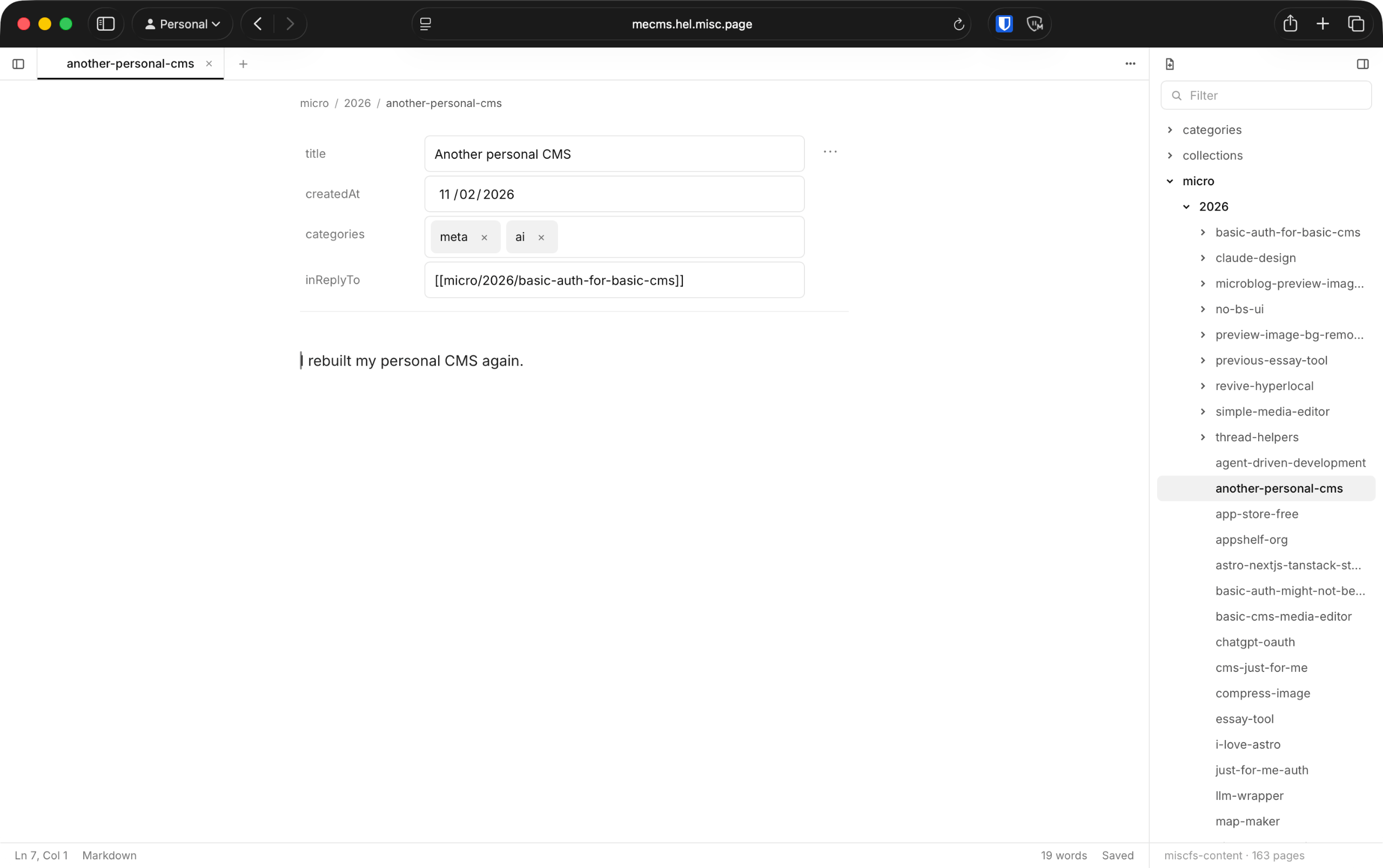
This time, it’s running on my VPS, has MCP, built-in commands (git push, deploy to CF).
It’s a lot like Obsidian, but only in the browser.
In reply to Basic auth for a personal CMS
I rebuilt my personal CMS again.
This time, it’s running on my VPS, has MCP, built-in commands (git push, deploy to CF).
It’s a lot like Obsidian, but only in the browser.
It’s just a file editor with files on the right, tabs on top, and the page in the middle.
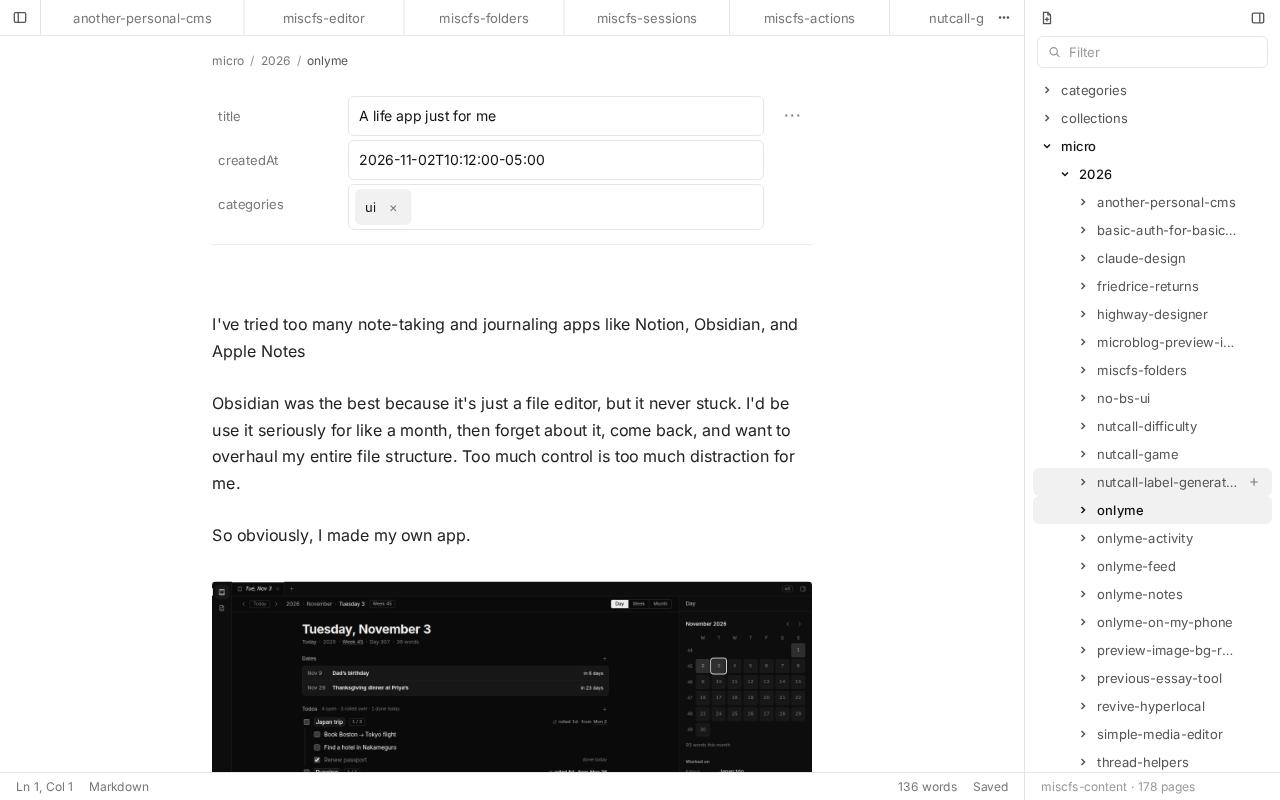
Frontmatter shows up as properties, so I can change dates and categories without touching YAML. Markdown renders as I type, like Obsidian’s live preview.
A post with images is a folder: an index.md with its images next to it. In the file bar, that folder just shows up as the post, with its images under it.
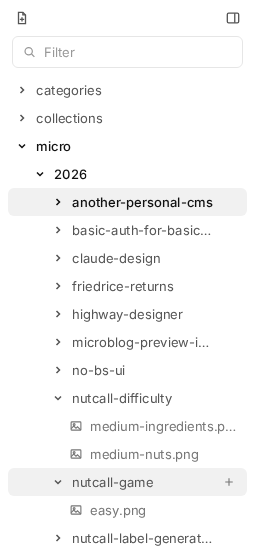
So I never think about where images go. I paste one in, and it lands in the post’s folder.
Sessions are groups of tabs. When I ask an agent to do something over MCP, it makes a session and opens every page it touched as a tab.
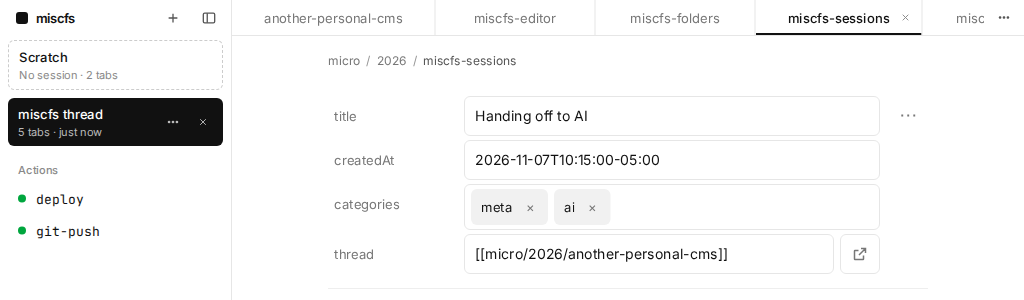
Then it sends me a link, and I review everything on my phone. This thread was drafted that way!
Actions are shell scripts in a folder, and each one is a button.
I have two: git-push, and deploy, which builds this site and pushes it to Cloudflare. Agents can run them too.
I’ve always wanted to make a highway designer, one where you can customize every lane including the slip lanes, the elevated lanes, all of it. This is a quick start.
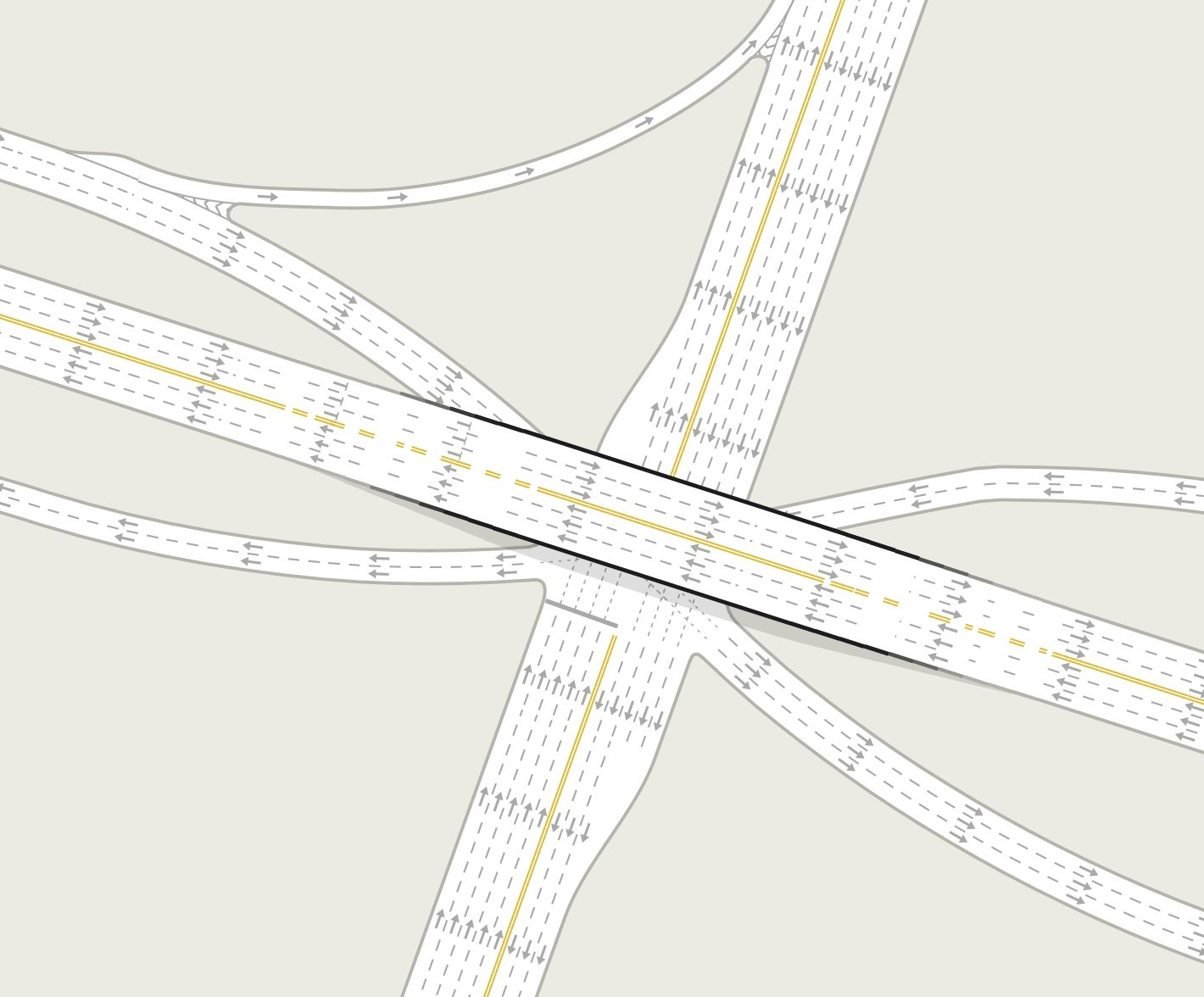
I was trying to make the highway interchange next to the Ikea in Singapore. I gave up halfway.
I’ve tried too many note-taking and journaling apps like Notion, Obsidian, and Apple Notes
Obsidian was the best because it’s just a file editor, but it never stuck. I’d be use it seriously for like a month, then forget about it, come back, and want to overhaul my entire file structure. Too much control is too much distraction for me.
So obviously, I made my own app.
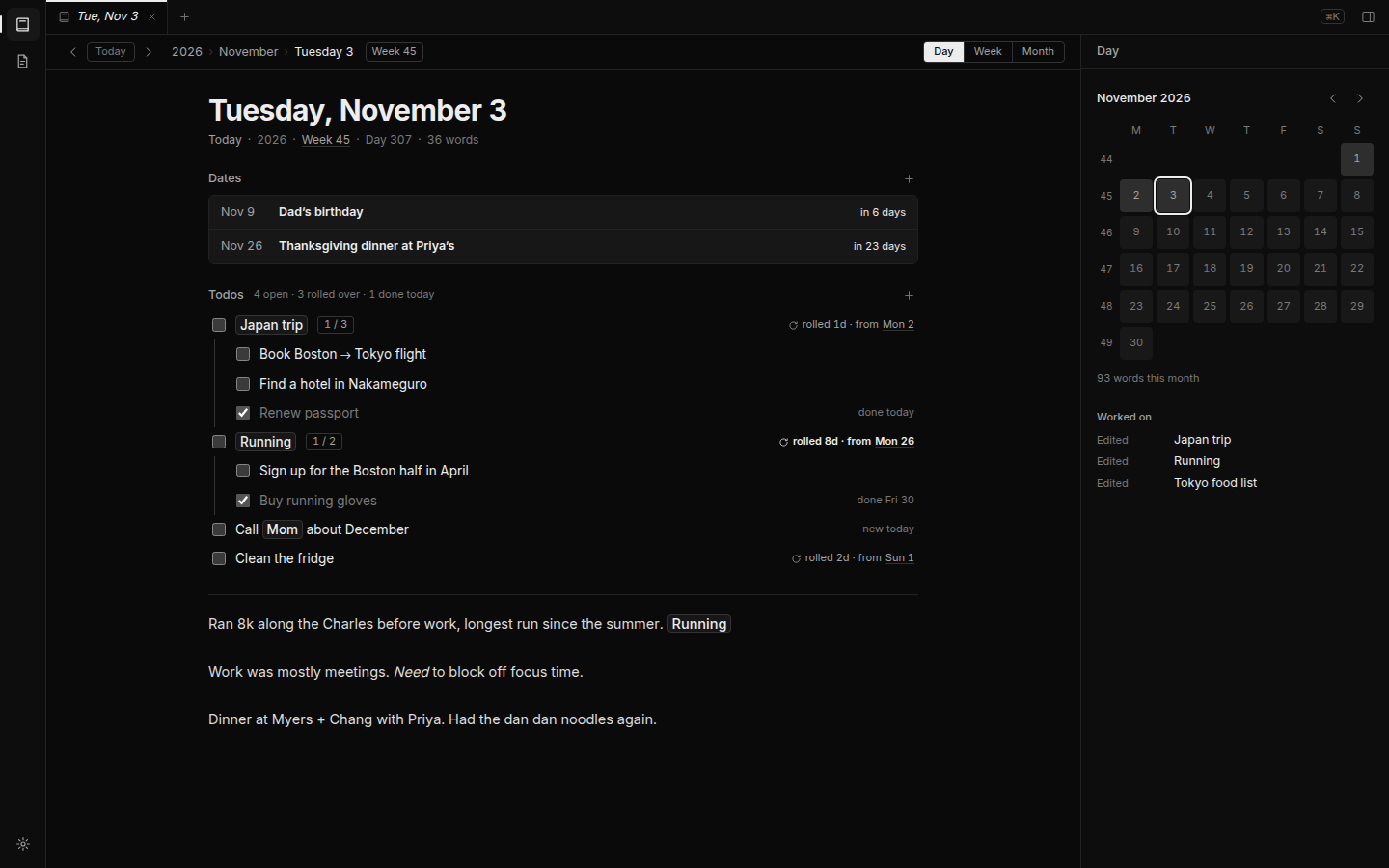
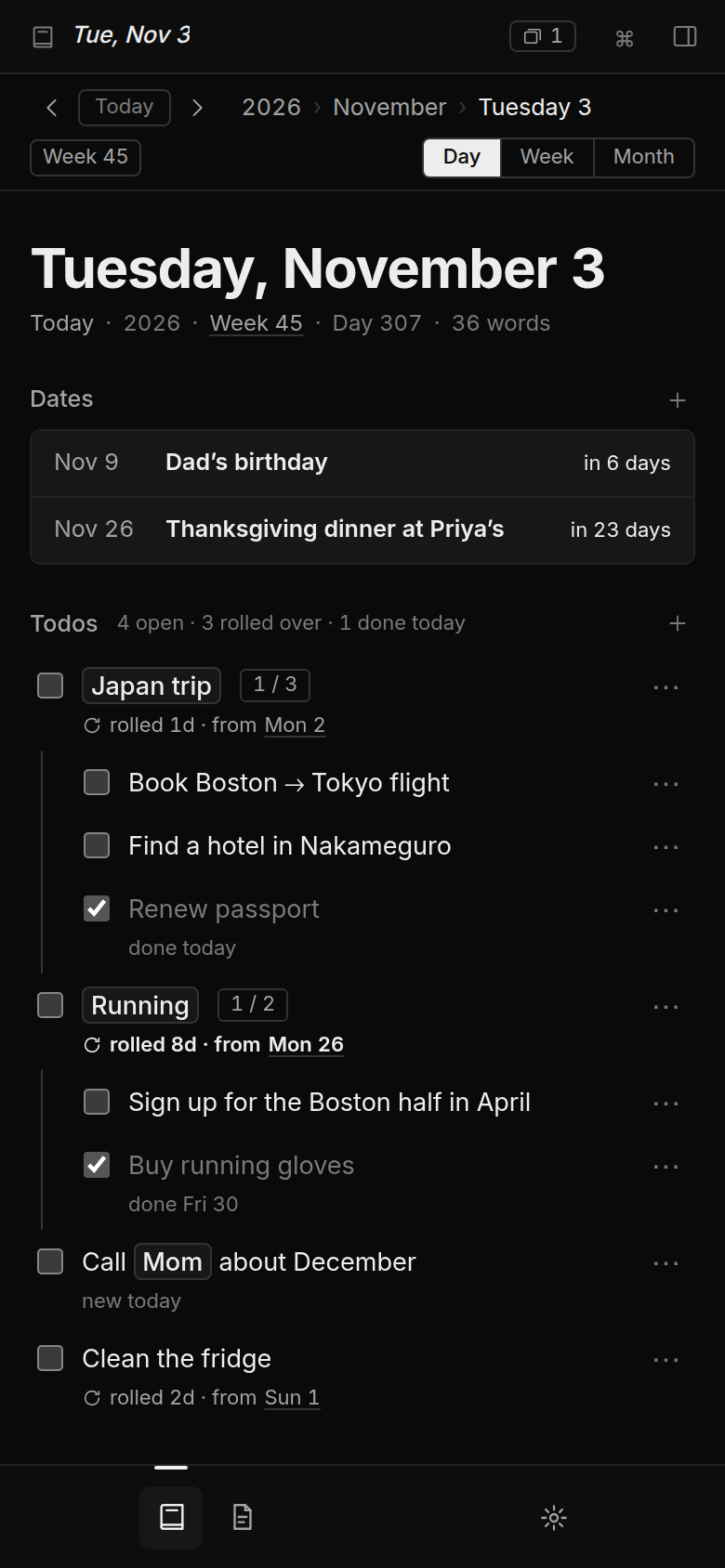
Each day has a log, todos, and upcoming special dates like birthdays. Todos I don’t finish roll over to the next day, so I’m forced to look at them every day I don’t complete them.
It runs on my VPS as a single binary, and I open it from my phone with Tailscale.
Not everything fits in a day, So I added notes for things like trips, books, people.
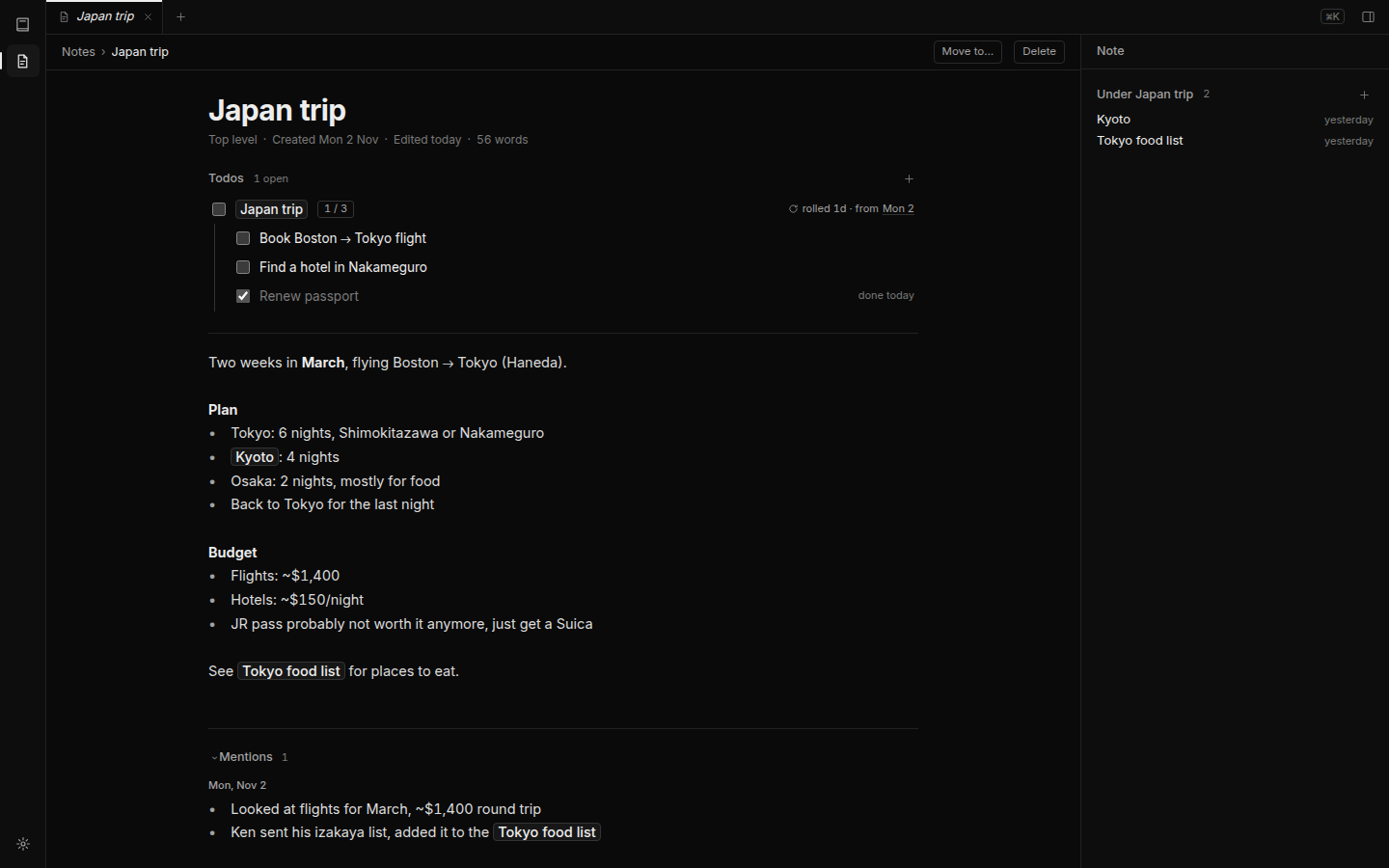
I can mention a note from anywhere by typing @. The note then shows everything that mentions it. My Japan trip note has its todos at the top, and everything I wrote about it in my journal at the bottom.
Writing is only half of a journal. I also want to scroll back and read through my weeks.
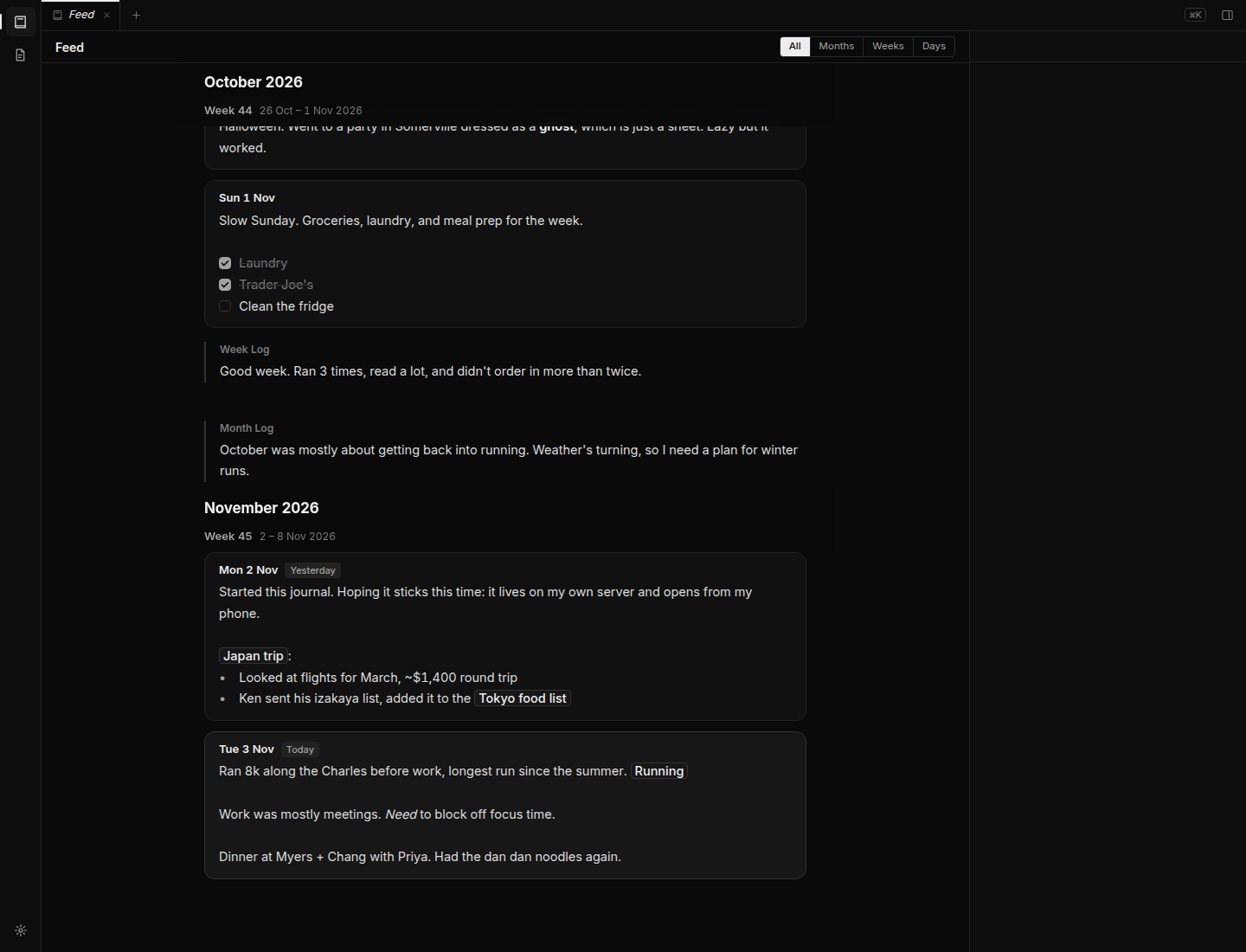
The feed shows my days, weeks and months in order, newest at the bottom, kind of like a chat. It opens on today and loads older months as I scroll up.
Now I can doomscroll my own life. I guess I need to add a feature to randomize the order of my previous entries so it’s more like a feed.
My favorite page in onlyme is the activity page. It’s like the GitHub contributions graph, but for my journal.
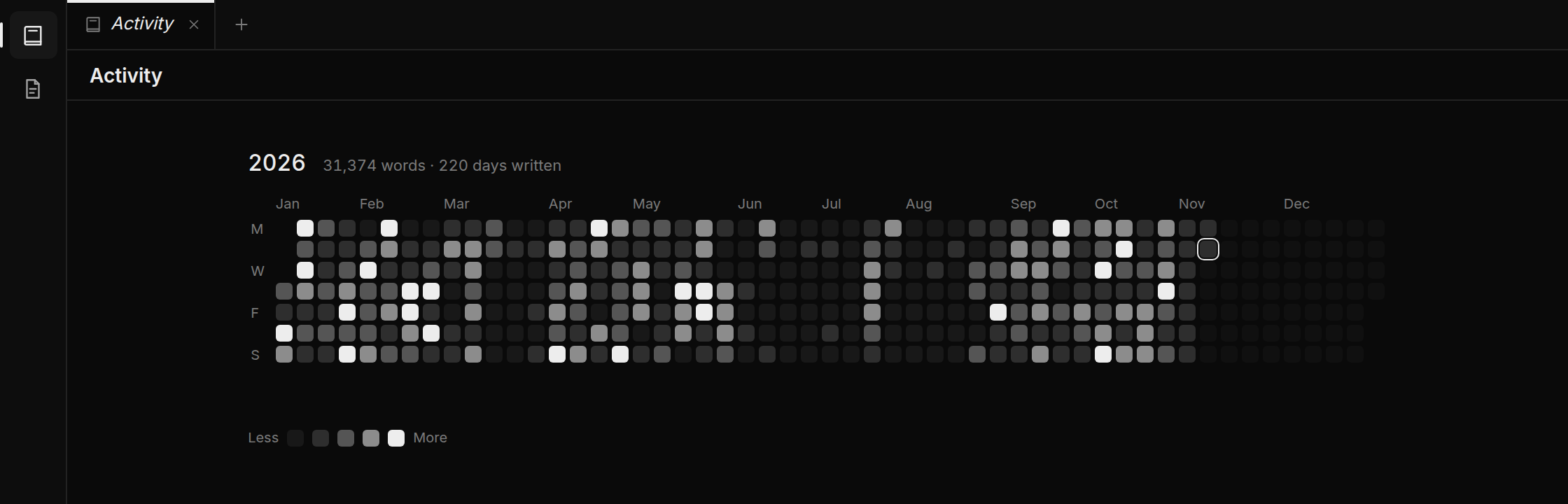
Each square is a day, and the more I write that day, the brighter the square.
You can see I stopped writing for a few weeks in March, and then basically the whole summer. Hopefully the gaps encourage me to write more.
I’ll use this on my phone way more than on my laptop, So I made it installable as a web app. Now it’s on my home screen and feels like a real app.
I wonder if it’s worth making it a native app.
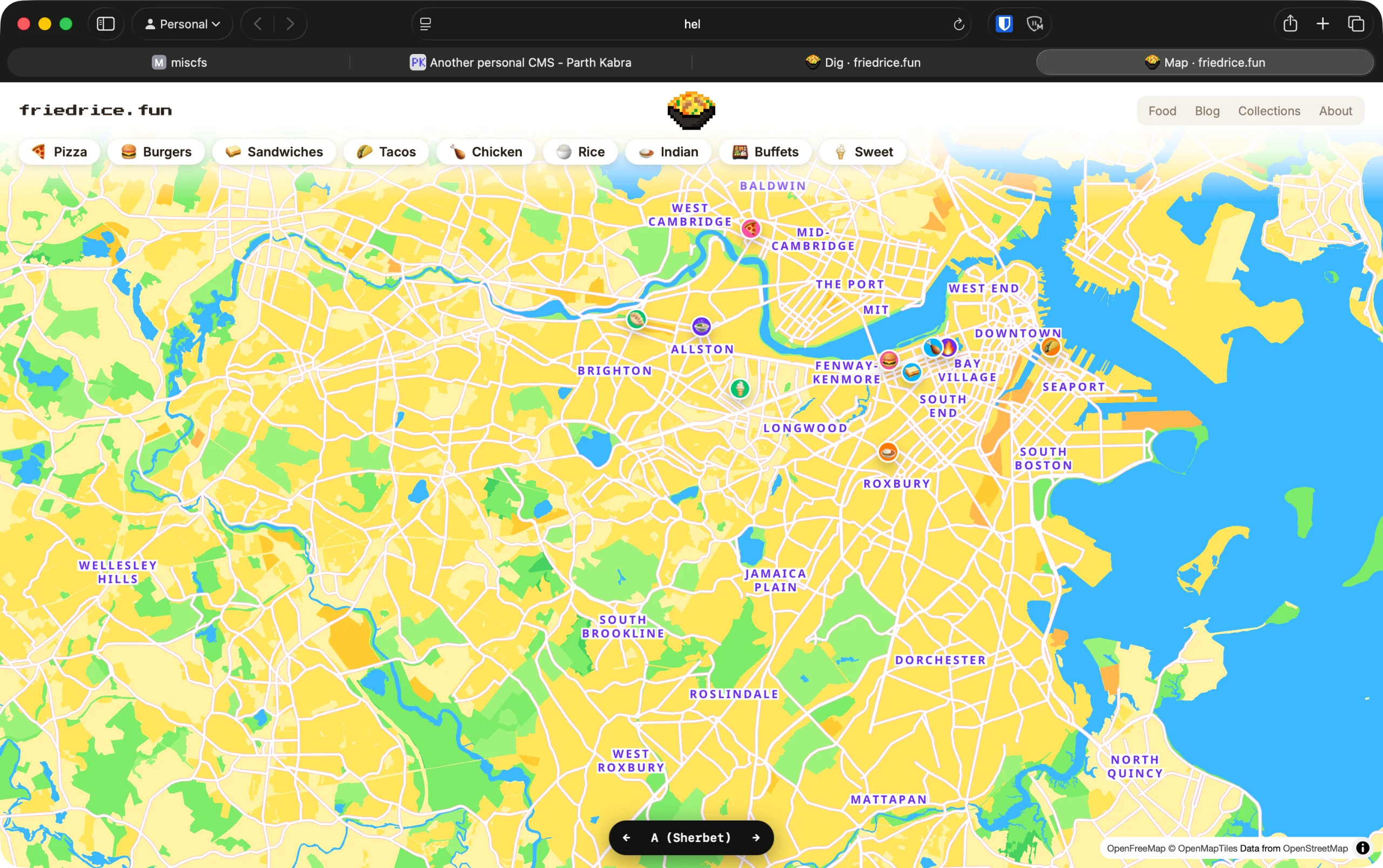
What if I had my own version of Google Maps, where it’s only places that I’ve been to?
So if anyone asks, what should I eat if I go to North End, I can just send them a link.
What if there was a game where you guess the food from its nutrition facts?
Despite the current nonsense, I’ve always liked the nutrition facts lavel from the FDA. Every packaged food in the US has the same consistent label. And the USDA has a public database with the nutrition facts for almost every food.
I think that could be a fun game.
For my nurition fact guessing game, the first step is the draw the nutrition facts label.
I made a generator that takes the amount of each nutrient and draws the nutrition facts label, with the ingredients below it.
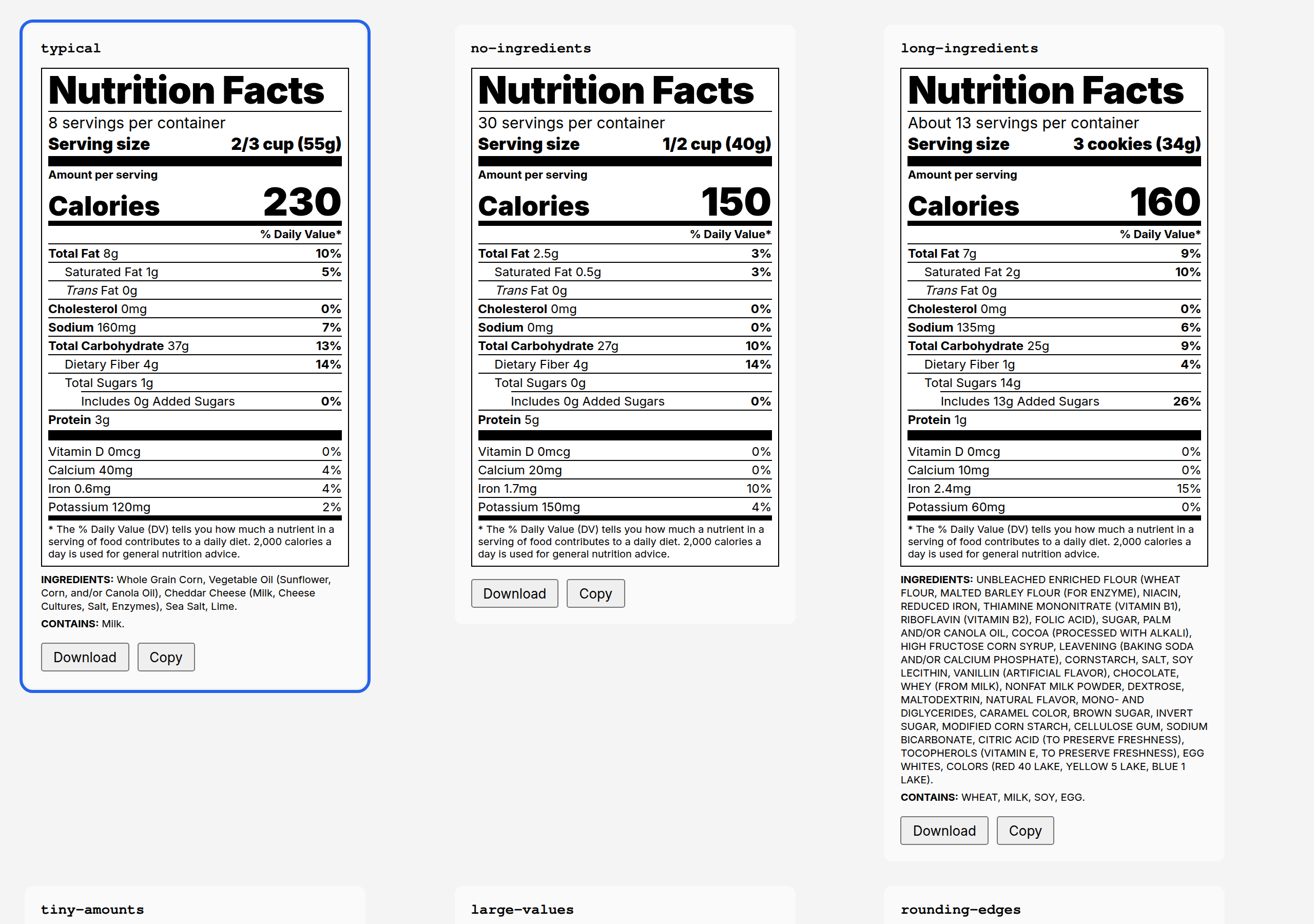
The FDA does have some rounding rules. Fat under 0.5g is “0g”, under 5g rounds to the nearest 0.5g, and above that to the nearest 1g. I guess that makes it easier to do quick calculations. It looks nicer too.
This is why Tic Tacs say 0 calories and 0g sugar, even though they’re almost entirely sugar. The serving size is one mint, which has under 0.5g of sugar and under 5 calories, so both round down to 0.
The game is playable! You get a label and four choices, and you pick the food. 10 rounds per game.
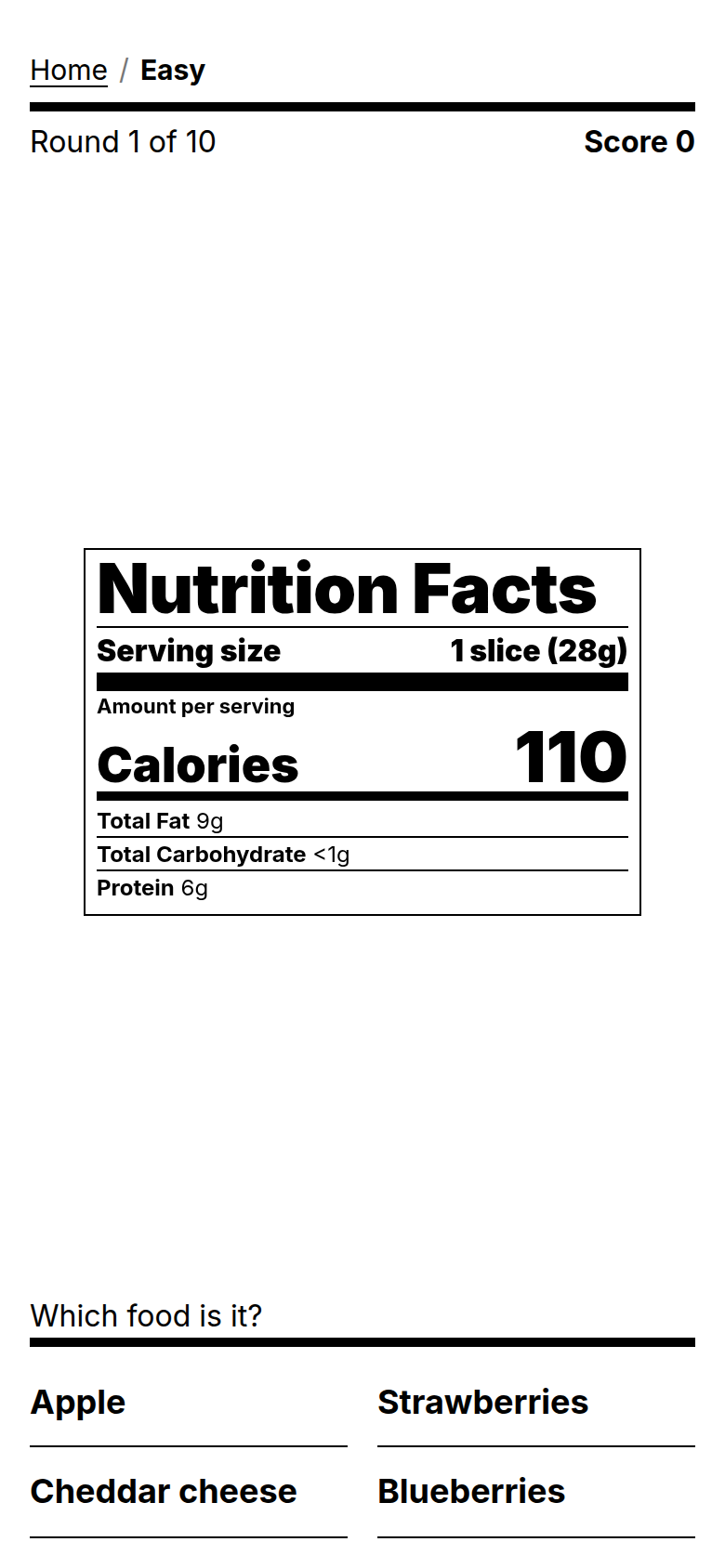
This is Easy, so It only shows calories, fat, carbs and protein, for everyday foods like fruits and cheese.
Try it at nutcall.misc.page.
Easy was too easy. Once you know an apple has no protein and cheese has a lot of fat, you get almost every round right.
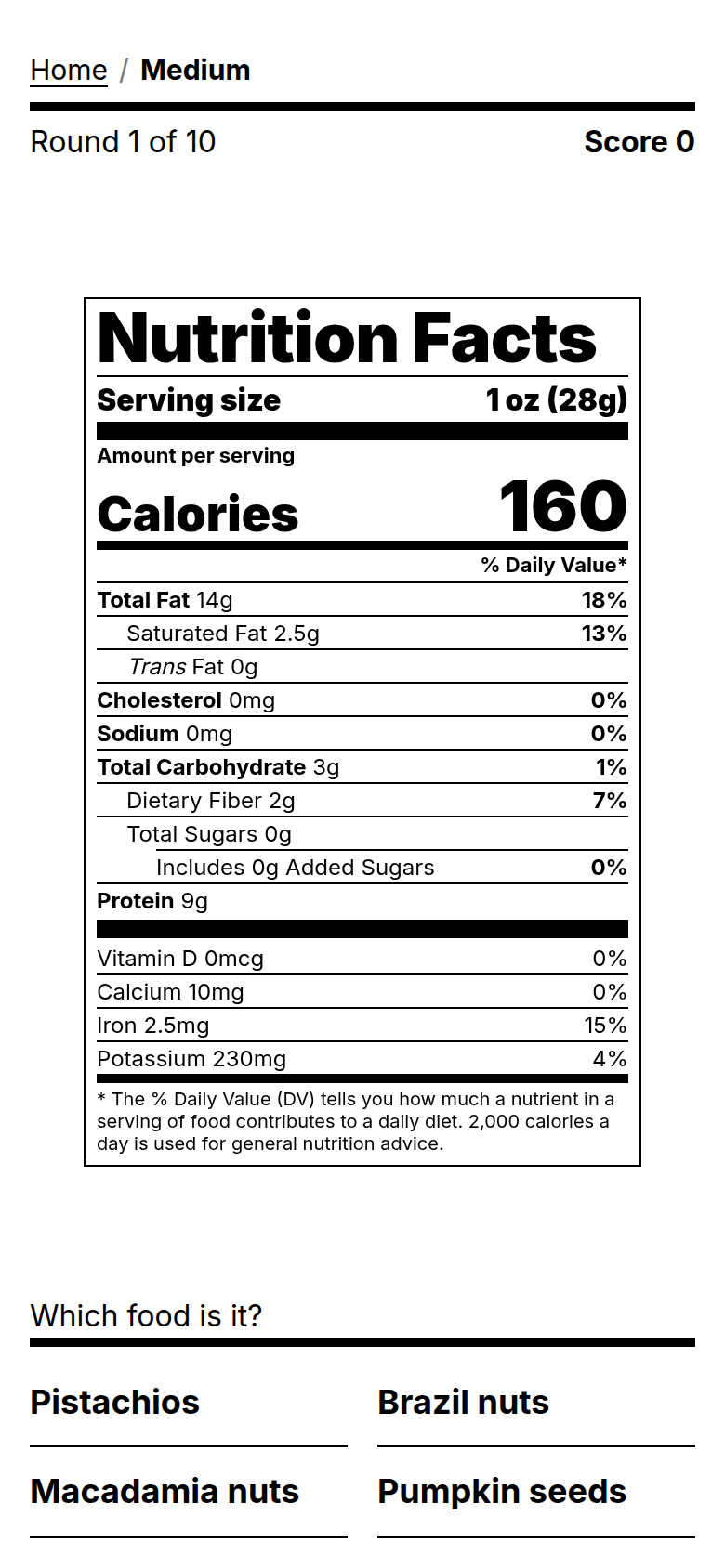
So I made Medium. It shows the full label, and all four choices are from the same food group. That was way too hard. Can you guess this one?
So I added the ingredients to packaged foods. Now it’s hard, but you can still figure it out.
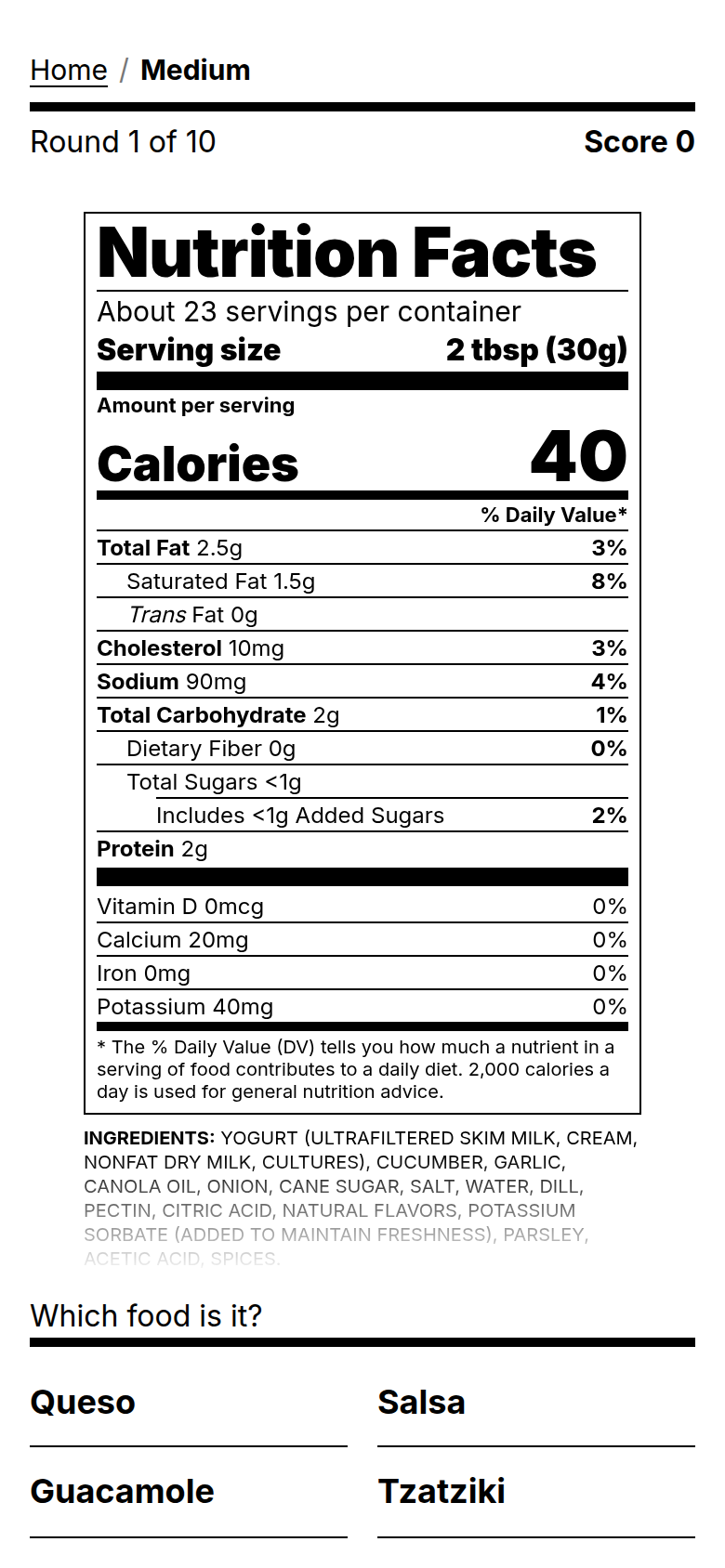
Now I’m thinking about how to make Hard hard enough, but not too hard. Maybe make the daily valule more relevant. I use the DV% to fish out “fake” sources of protein.
Creating apps has never been easier. Open Claude/ChatGPT, tell it what you want, and it spits out a fully functioning mini app that you can start using.
But what next? How do you get that app on your home screen? How do you allow it to actually save data? How do you share it with your family and friends? How do you let strangers on the internet use it?
I’m trying to build a platform for that! Check out appshelf.org and join the waitlist!
Links: AppShelf.org
Related: window.globalStorage
Claude Code (not Claude Design) is really good at helping you choose a design and theme. I embded the “grill-me” skill in my AGENTS.md and told it what I wanted. I asked it to try a regular theme and a playful Duolingo-like theme.
This is what it came up with, after asking me a few questions:
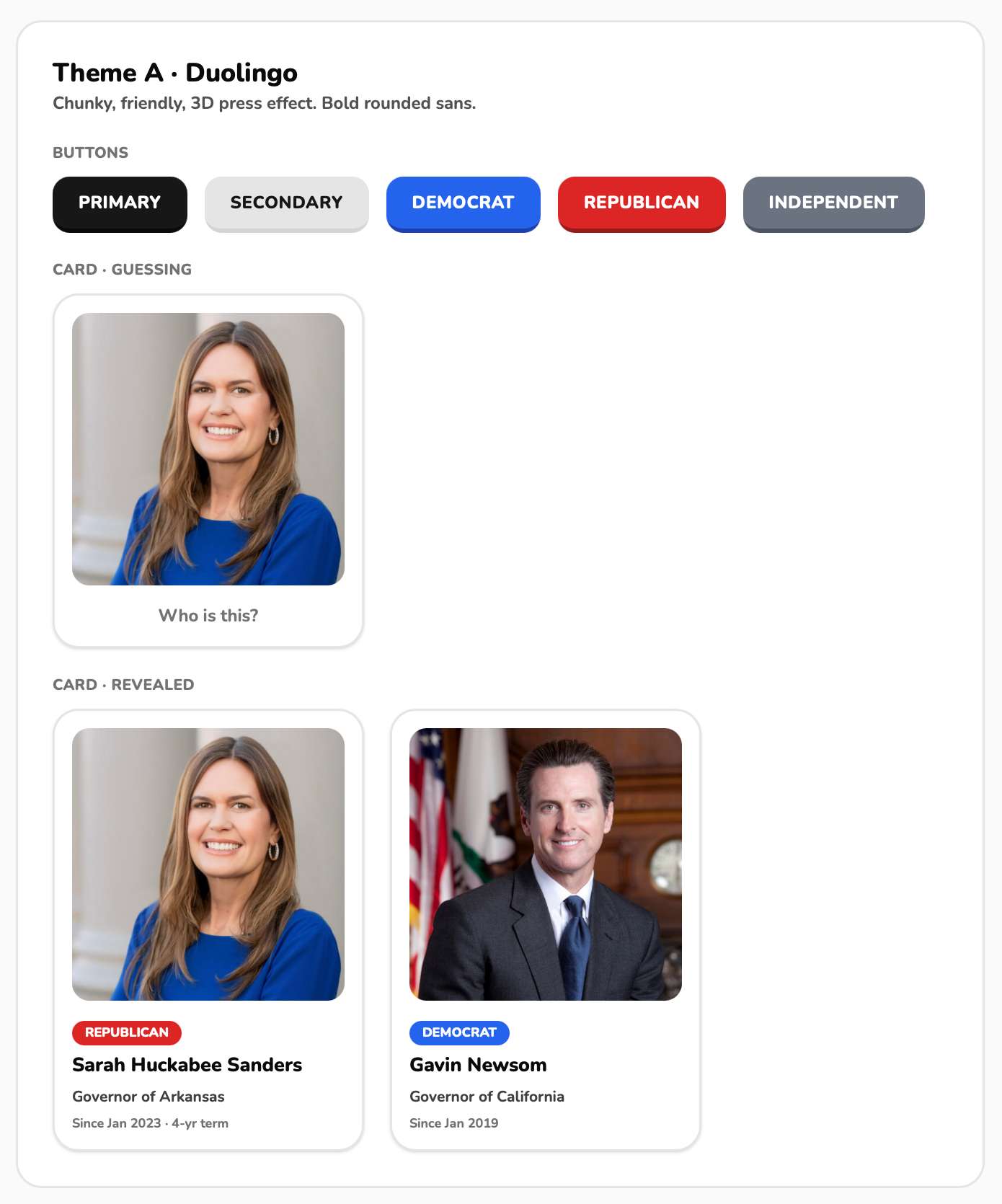
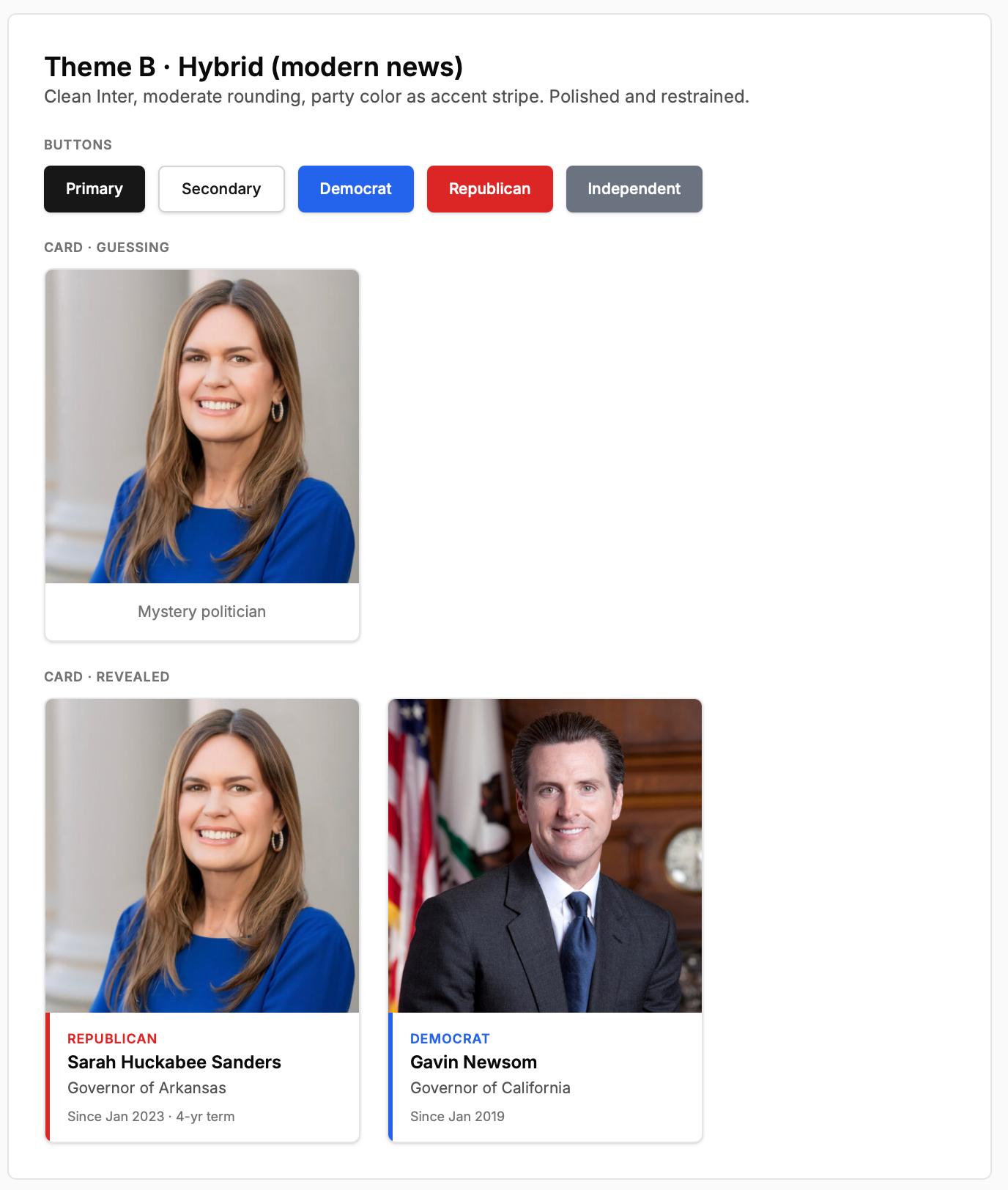
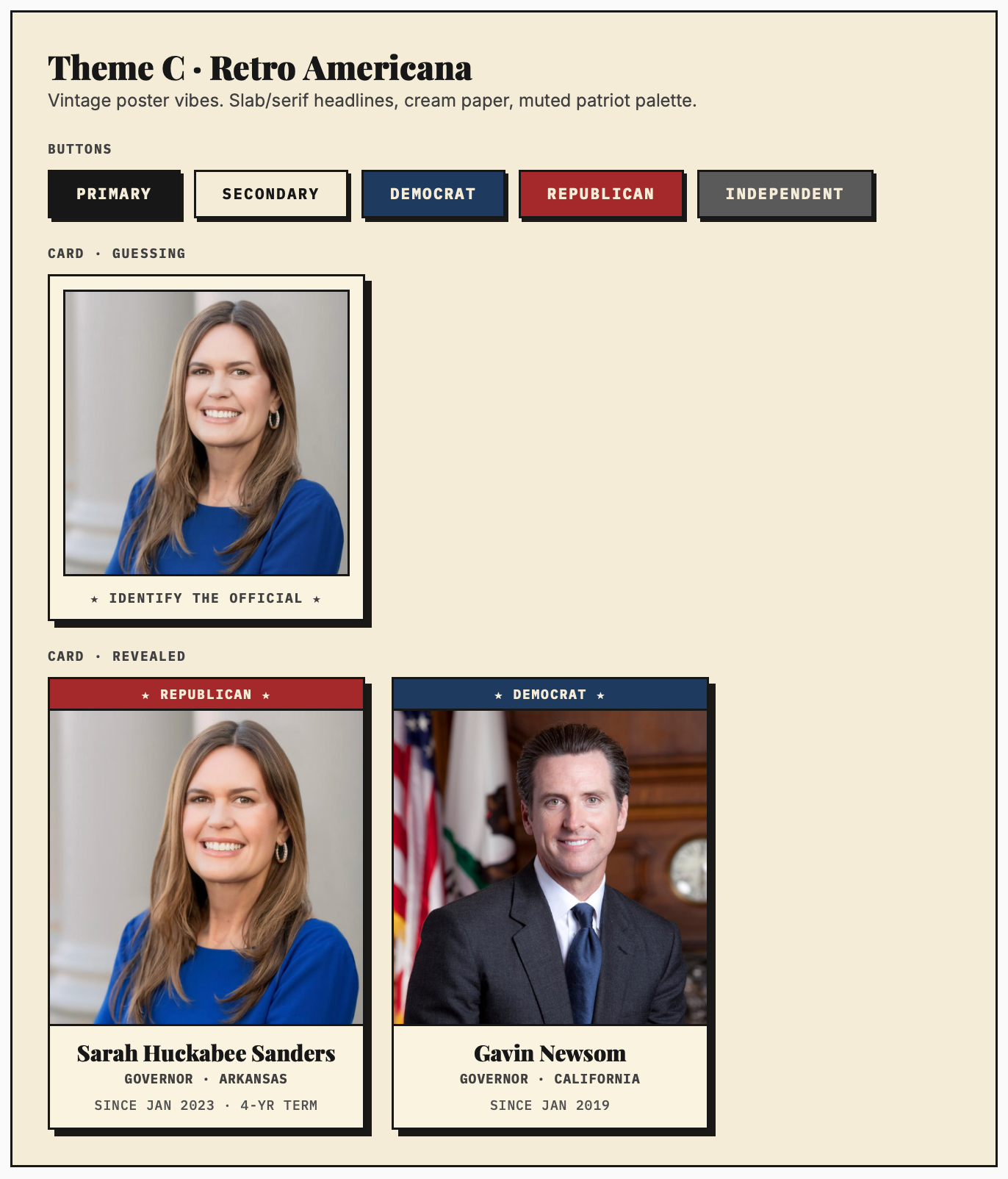
I think the winner is clear: The “Duolingo” one is unique and buttons feel super pressable. The hybrid one doesn’t have much going on and is too forgettable. The Retro one is kinda cool, I guess, but it has the AI-piss filter.
Super excited that after a year of waiting, Remix v3 finally has a beta preview! I love how it’s actually a full-stack framework with libraries for auth, database models, s3, and everything else you end up assembling yourself.
Nextjs is a full-stack framework too, but it leaves a lot of the data-fetching and app architecture decisions up to you. That freedom is nice, but in practice every project ends up inventing its own stack out of a bunch of libraries.
Remix v3 feels more like Rails in a good way: opinionated enough to help you build quickly, but still composable enough that you can swap out their libraries when you need to.
I am a little surpised that there’s only discussion on Twitter. I was hoping to see more on Reddit or Hacker News.
With everyone arguing about Nextjs and Tanstack Start, I wonder if Astro is the best “one-size fits all” option. Built in content layer, Astro actions, caching, SSG, and SSR. I’ve been having a great experience, and it’ll likely dethrone Nextjs as my default framework.
I’m switching my personal site from Nextjs to Astro. I’m taking a break from React, ShadCN, and Nextjs.
So far, everything’s been great with Astro. Great break from React. In fact, I’ve realized that only 20% of web dev I’ve done in my life ACTUALLY needs React. That being said, React’s component model was what kept me in, and Astro is similar.
The images in my “microblog preview” sidebar widget are way too big:
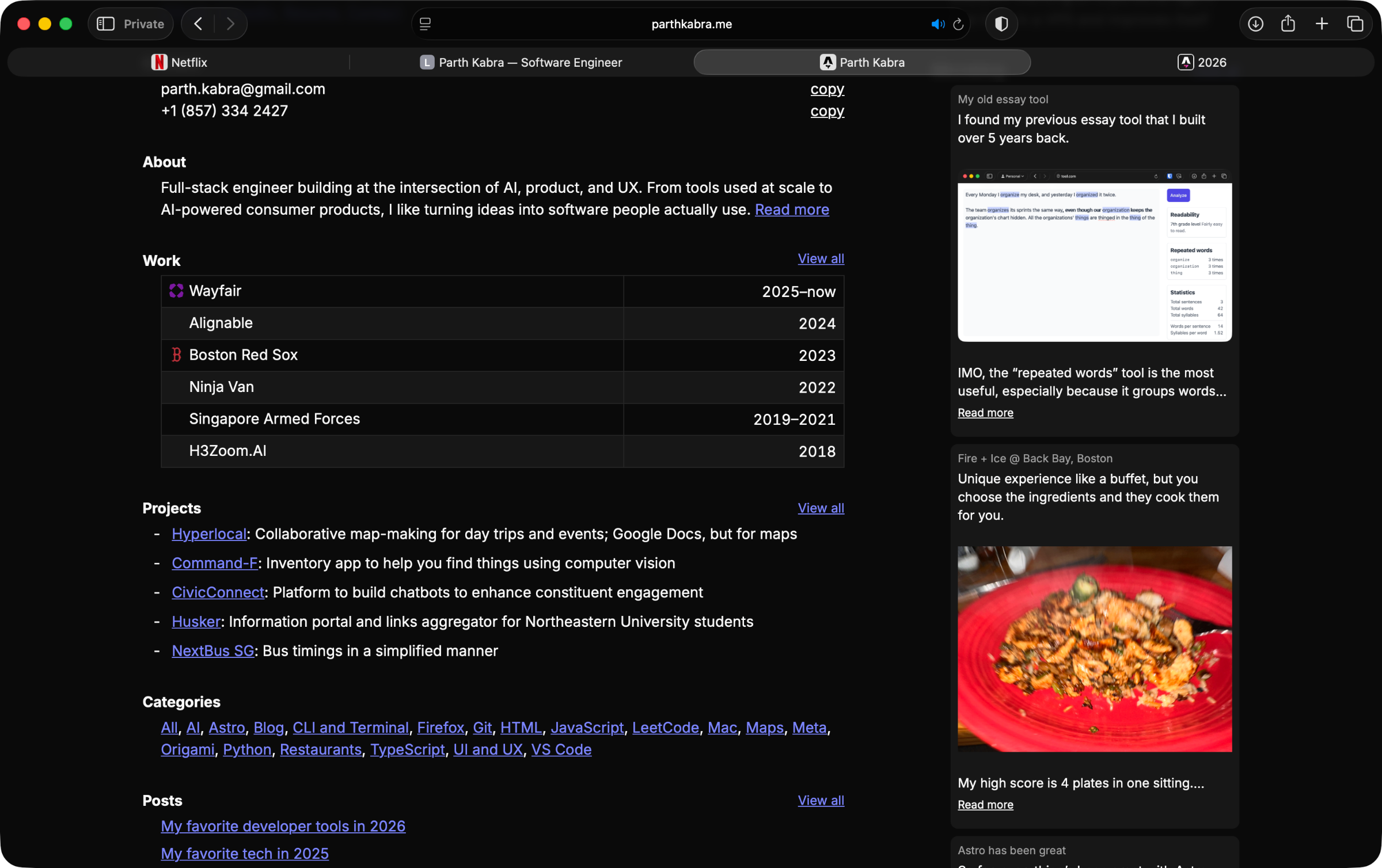
I thought it would look good if I put them inline:
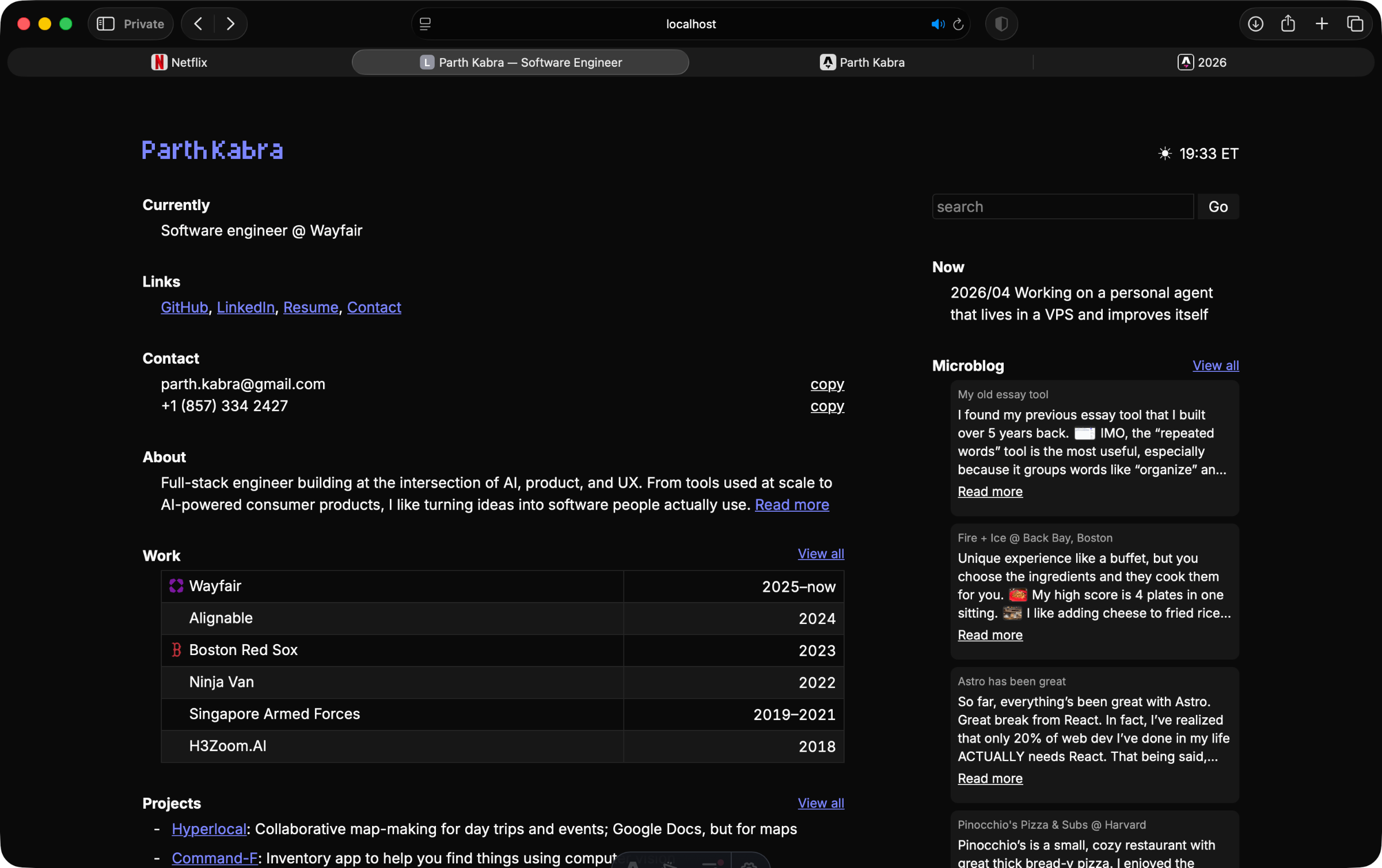
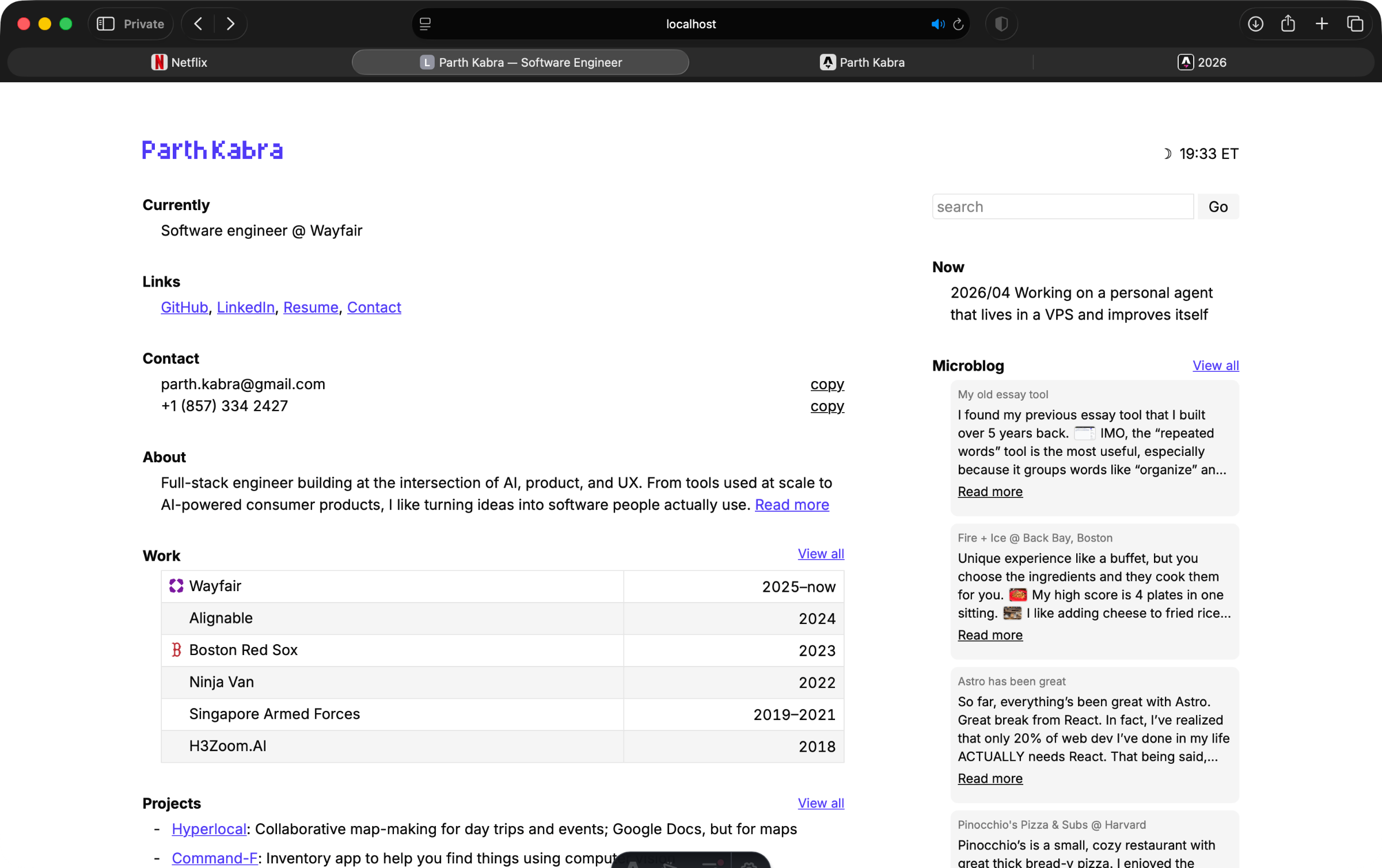
A few years back, I had an idea to make a college essay analyzer. It would help you find duplicate words, read the essay out to you, help you find synonyms, etc. This was back in 2019, pre generative AI.
Out of all these tools, I think the repeated word finder would still be useful. It should not only work for exact repeated words, but also similar forms of the same word, like “thing” and “things” or “organize” and “organizing”.
Related: Essay Analyzer
I found my previous essay tool that I built over 5 years back.
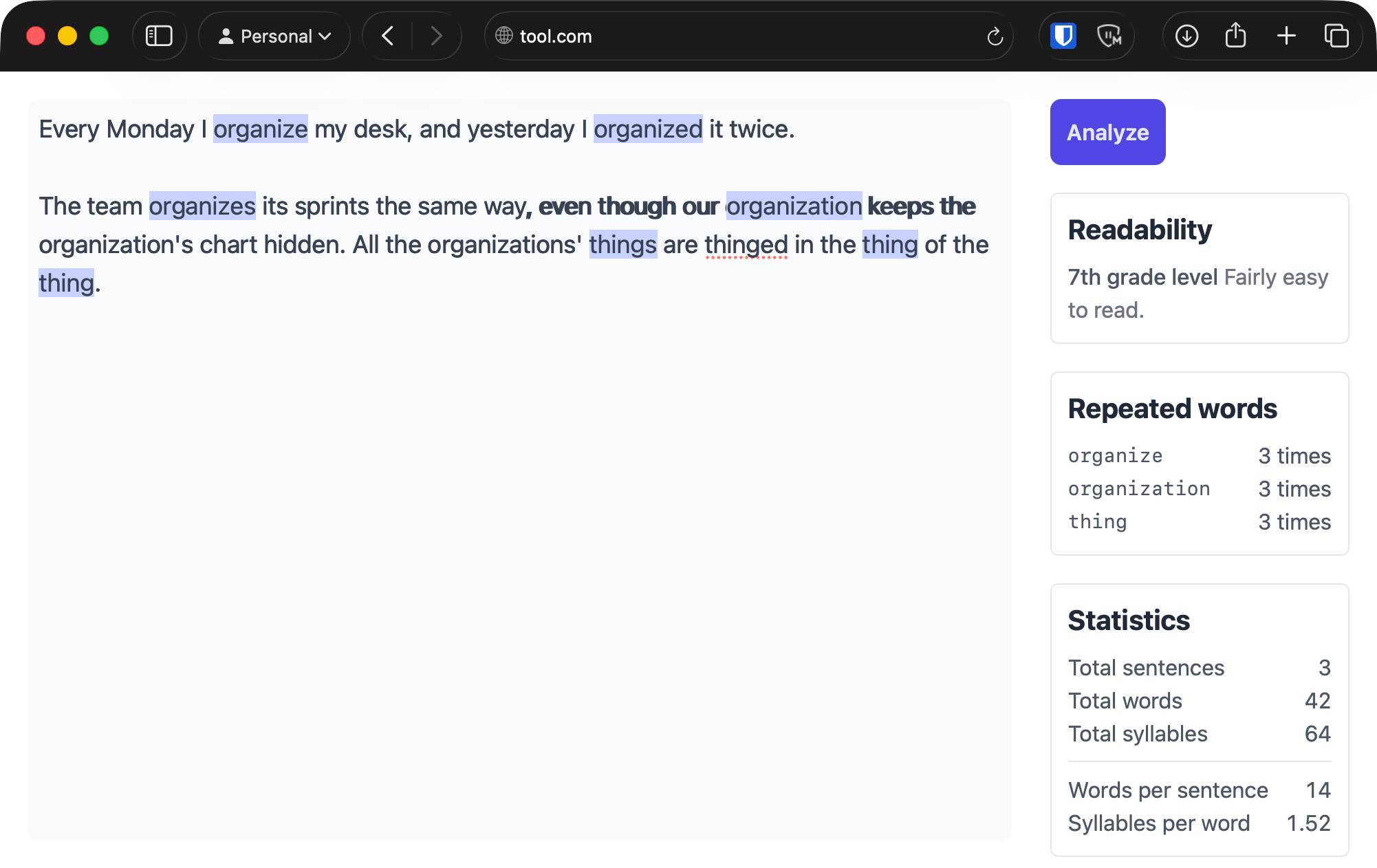
IMO, the “repeated words” tool is the most useful, especially because it groups words like “organize” and “organized” as the same word.
The readability score would probably be more useful if done by paragraph rather.
Related: Essay Analyzer
Preview on Mac has a built in background remover. If it’s not in the toolbar, you can add it:
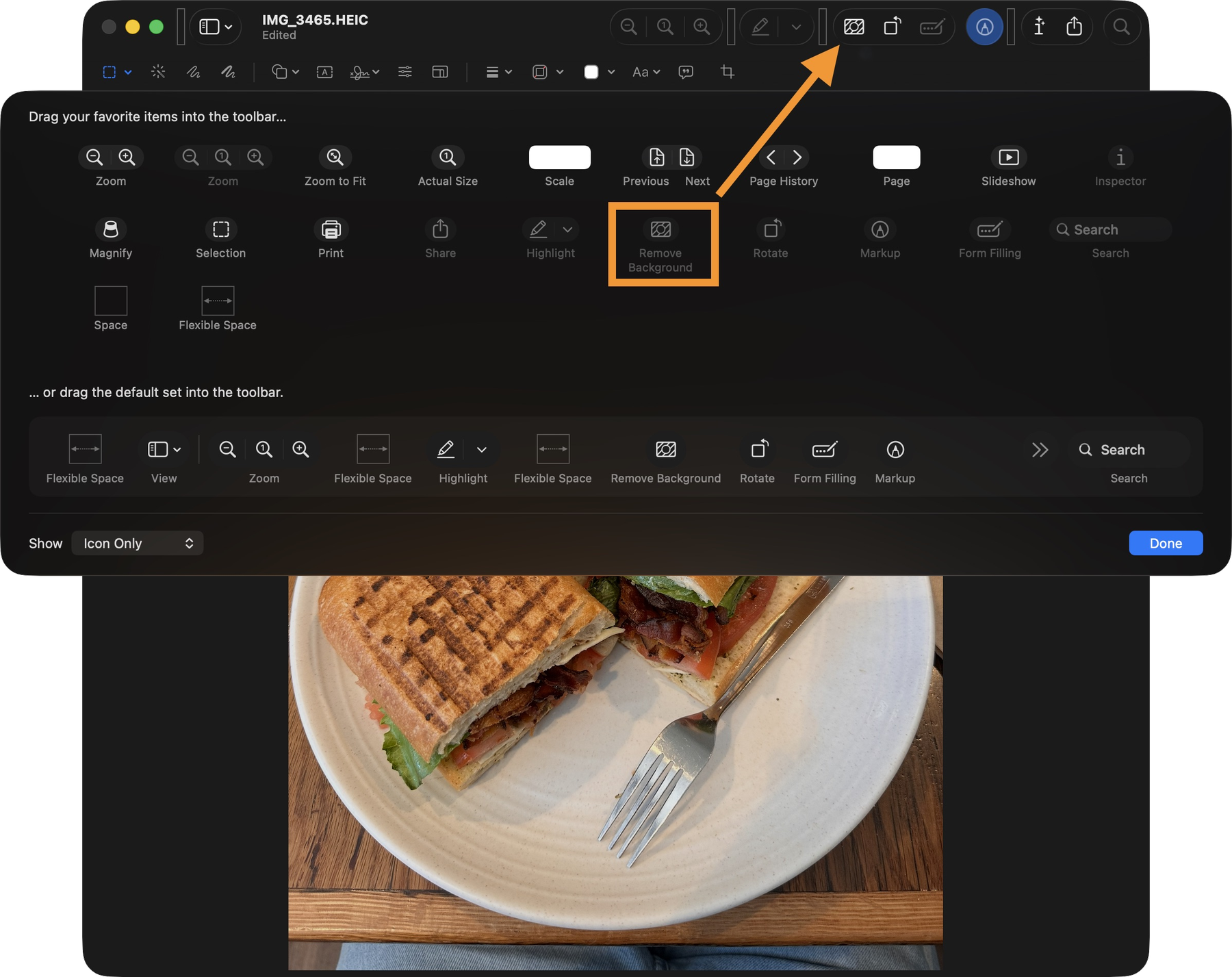
Next on my wishlist is a way to convert images within Preview. The option exists when you right click, but I’m lazy.
I want to start a mini restaurant blog on my site. I eat out a lotta nice places but when someone asks me for recommendations, I can’t remember any.
I’ll make it simple: make a micropost each time I got to a memorable restaurant. Purposely keep it unstructured so I don’t get lazy and stop updating it.
Just like window.localStorage, I wish window.globalStorage was a thing. An easy for way all apps to have a database. No need to set up a database, etc for every little app. Just ship index.html.
I haven’t really thought about how authentication would work though. Would each browser store data sandboxed by website under a unique ID? Would users have to authenticate somehow before using it? Who is storing this data, and where?
Okay, I see why this doesn’t exist. Yet.
Today I had to fill out this form for Boston’s Census. This website is probably older than me and the UI could be considered dated:
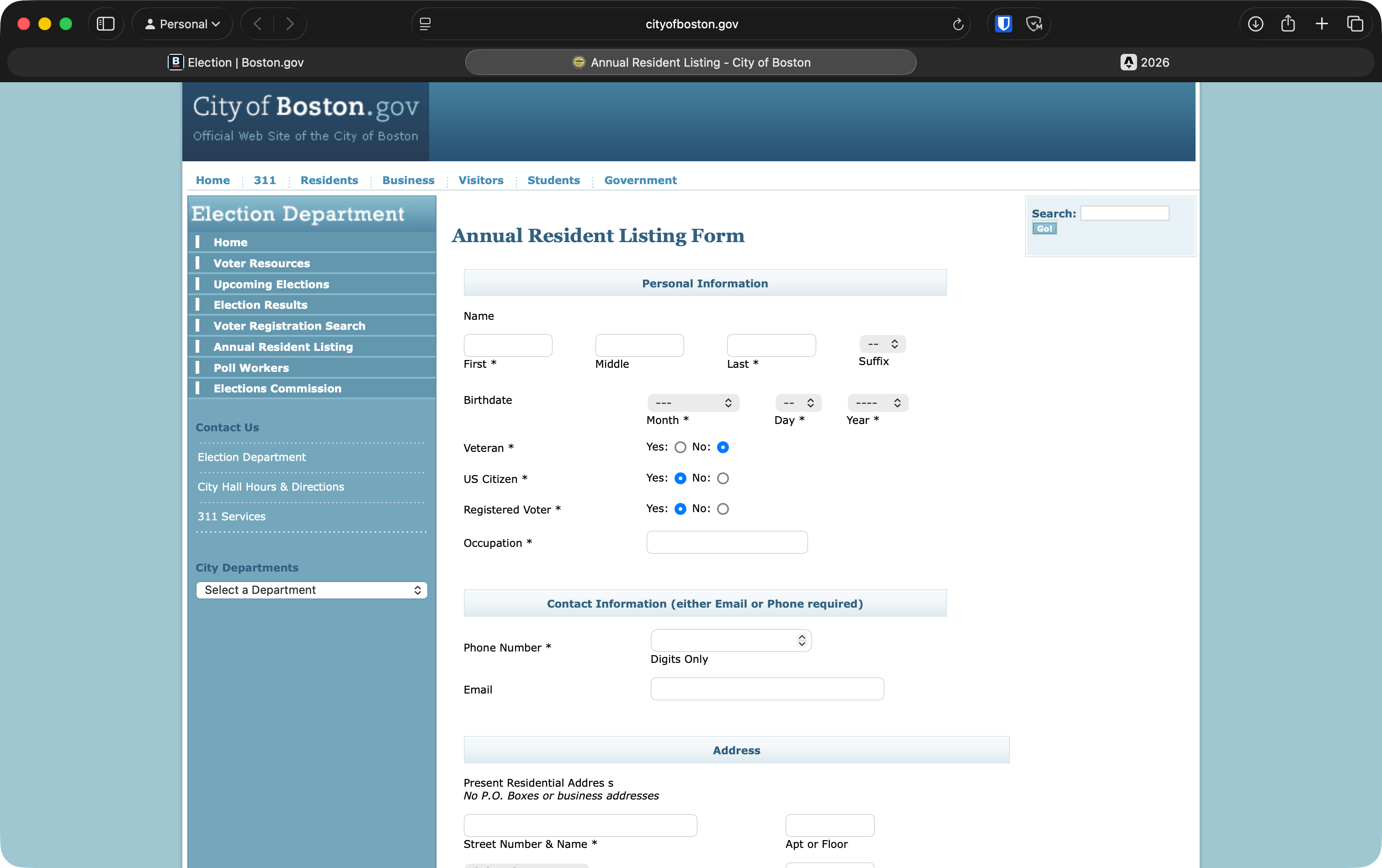
But it worked so well! I finished the form within 30 seconds. No random fancy autocompletes, no AJAX, no overcomplicated ever-engineered date pickers.
I guess the only issue is that it isn’t responsive.
What if we take LLM wrappers to the next level and skip the LLM API entirely? Your app is just two things:
The docs should explain what the LLM is supposed to do with what the user provides. The “message send” button just opens ChatGPT/Claude with a prefilled prompt.
I think this can be cool for smaller projects: no need to get an API key, worry about rate limiting, set up billing. But of course, projects like these will be more than a prompt that you are packaging in a slightly easier-to-use manner.
I wish the App Store was more open. To publish an app, you need to pay the $99 fee, buy a Mac, take screenshots/videos of your app, and then wait a few days for a review. Compared to the web, open an index.html, write your code, publish it wherever, and your site is live for everyone.
I know you can open websites on iOS, but it’s possible to create a much better user experience with mobile apps.
I really wish we could “sign in with ChatGPT/Claude” rather than having to pay for our users’ API usage. We kinda can do that if we make an open source project using the Codex/Claude agents SDKs, but it’s difficult for non-technical people to use those.
I’ve always wanted a map app that’s like Google Docs but for maps. I started Hyperlocal but didn’t go that far because most people didn’t understand what it was trying to solve. To be honest, I think it’s trying to solve a laundry list of slightly related problems too.
Related: Hyperlocal
Trying to make a simple tool to “revive” Hyperlocal. It should work in the browser without any signups or database. Someone should be able to open the page, map out a few points, lines, areas, and share the link.
I got a basic version working. Users can add points, lines, name them, give them colors, and find their addresses.
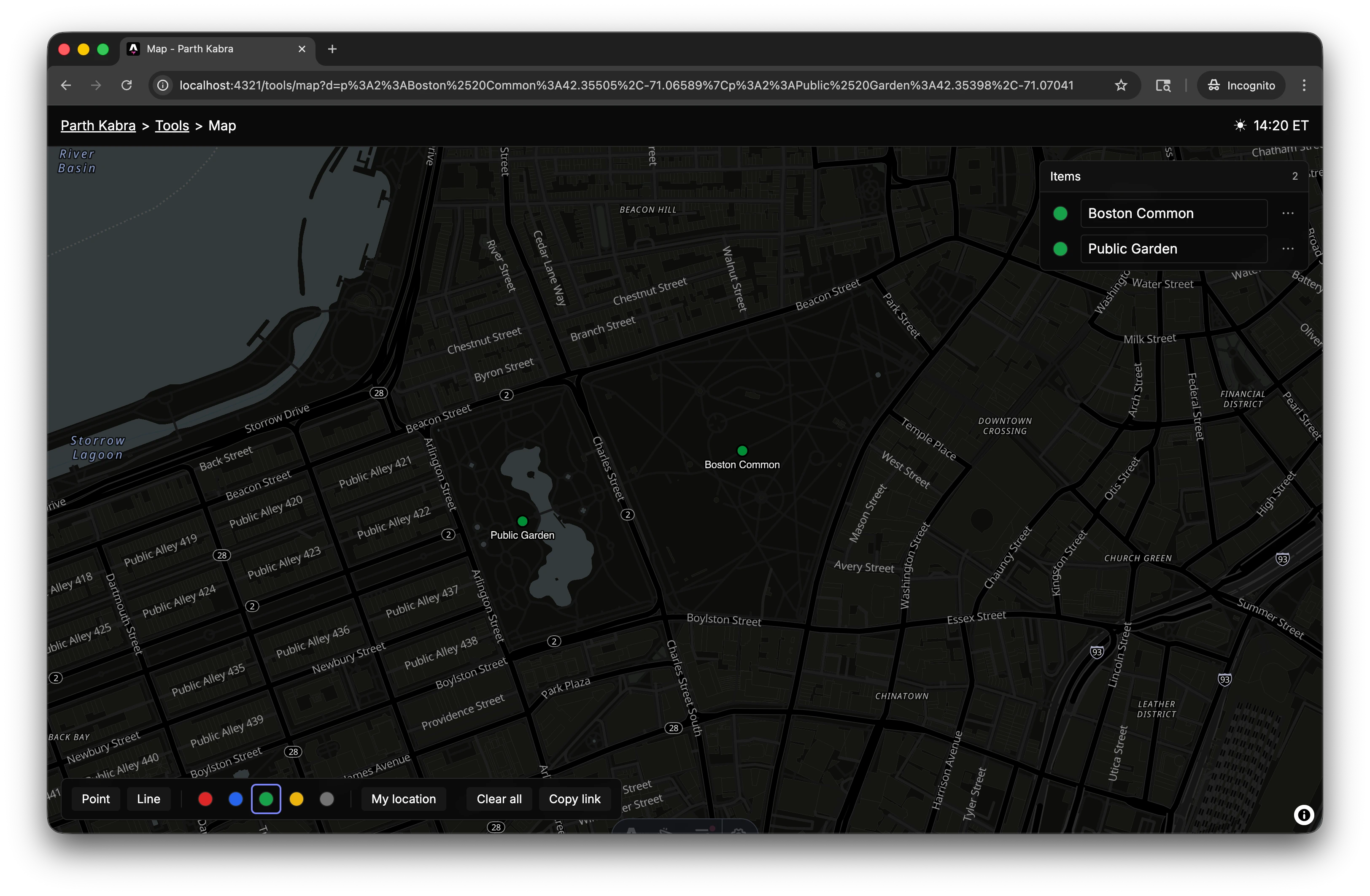
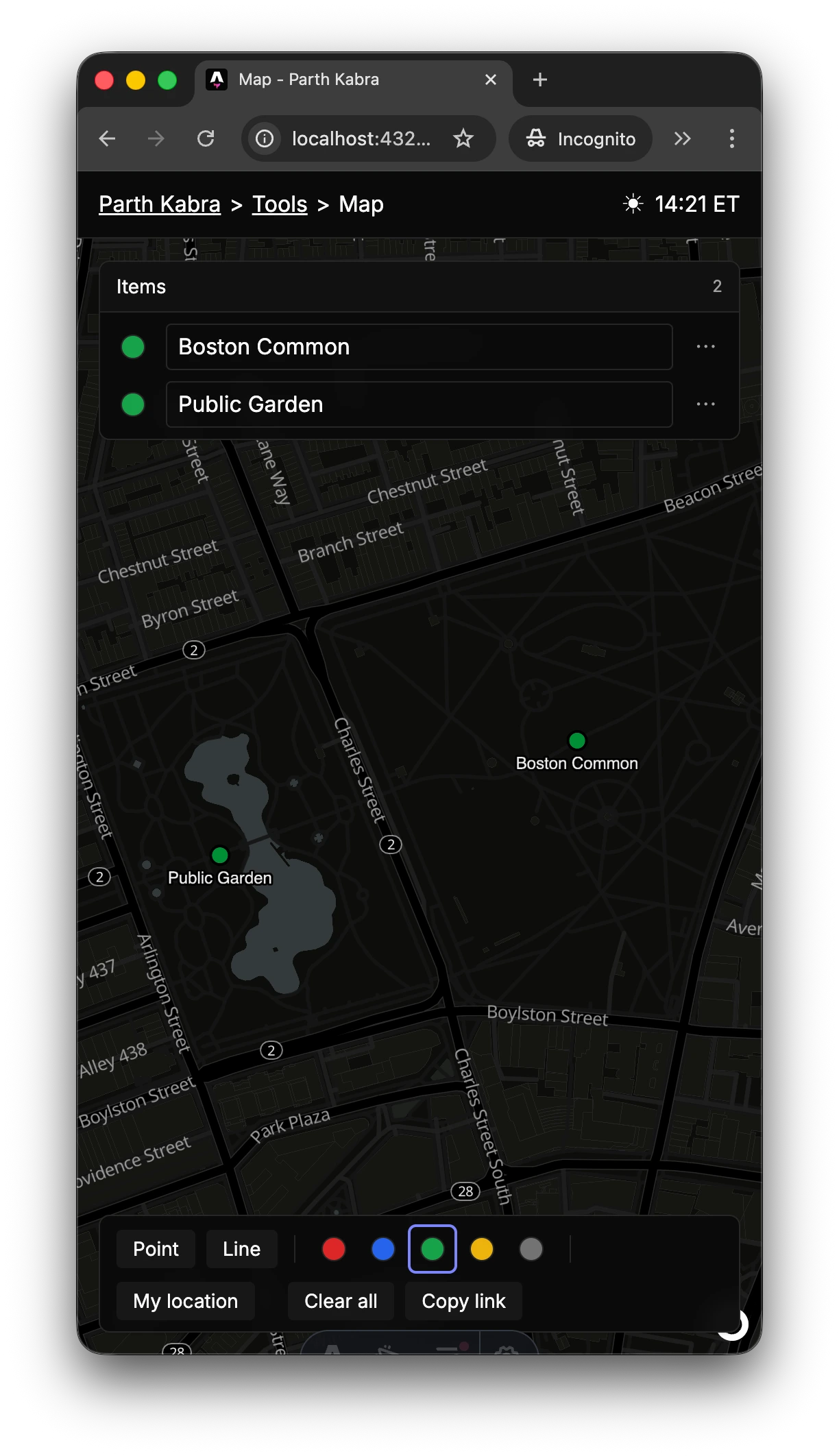
I’ve been trying to make this mini version of Hyperlocal agent and test friendly. One way is by making all storage and state live in the URL.
I just asked Claude Code to “test Hyperlocal as a non-technical user … make a Boston day trip plan”. The best thing was that it just shared the URL of the map it made, so it was easy to debug.
And of course, building for agents means you’re building for humans. Good DX for agents = good DX for humans.
I wish it was easier to make “self-editing” HTML files. I should be able to have a single HTML file, open it, put text in the inputs/textareas or wherever, save it, and have the HTML file itself update with that content.
Chrome gets close, but if you open a regular HTML file directly as file://, you don’t get file system access. You have to serve it from localhost/HTTPS instead of just opening the file.
Editing my own website has always been a pain. I’d have to open my laptop, open my editor, remember how I structured my blog, write markdown, preview it locally, push, wait for it to build, etc.
I think it’s time to vibecode my own CMS. It’s probably gonna become a maintenance nightmare, but let’s see.
Turns out, it was not difficult to make a CMS for my blog. I got a super simple file editor. Now the next step is to make sure that only I can access the CMS. I was thinking of using Better Auth with a D1 database, but basic auth might work better since there’s only one user (me).
Having a text-only CMS is easy, but I really need the ability to upload and manage images. My current image storage is pretty well-defined: this microblog post is in /content/microblog/2026/{slug}.md, and its images will be at /public/images/microblog/2026/{slug}/. Let’s see what Claude can do!
Basic auth works great! Only thing, I wonder if I can save my auth state and not have to enter my username and password every time. I remember iOS Safari having issues with this.
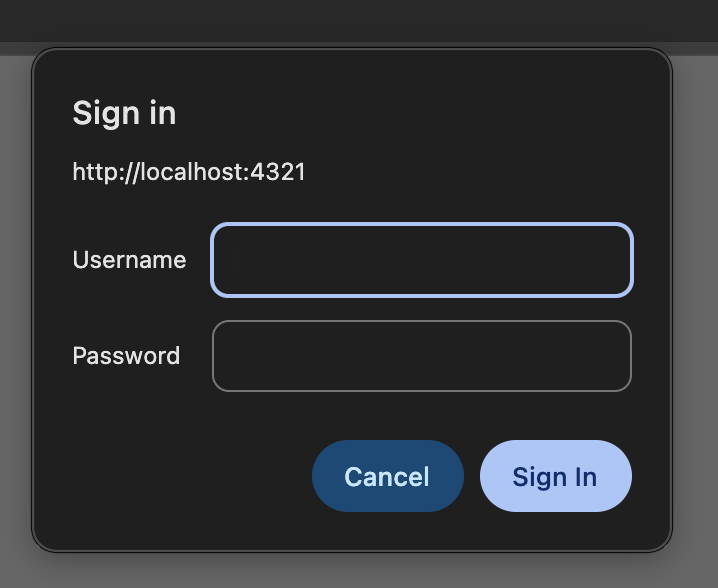
On iOS Safari, I cannot have my login details remembered, so I’ll have to enter my password every time. I can’t seem to get Safari’s password manager to work with this either, so I might have to think of another simple way to have “just for me” auth.
I got a simple media editor for my CMS working!
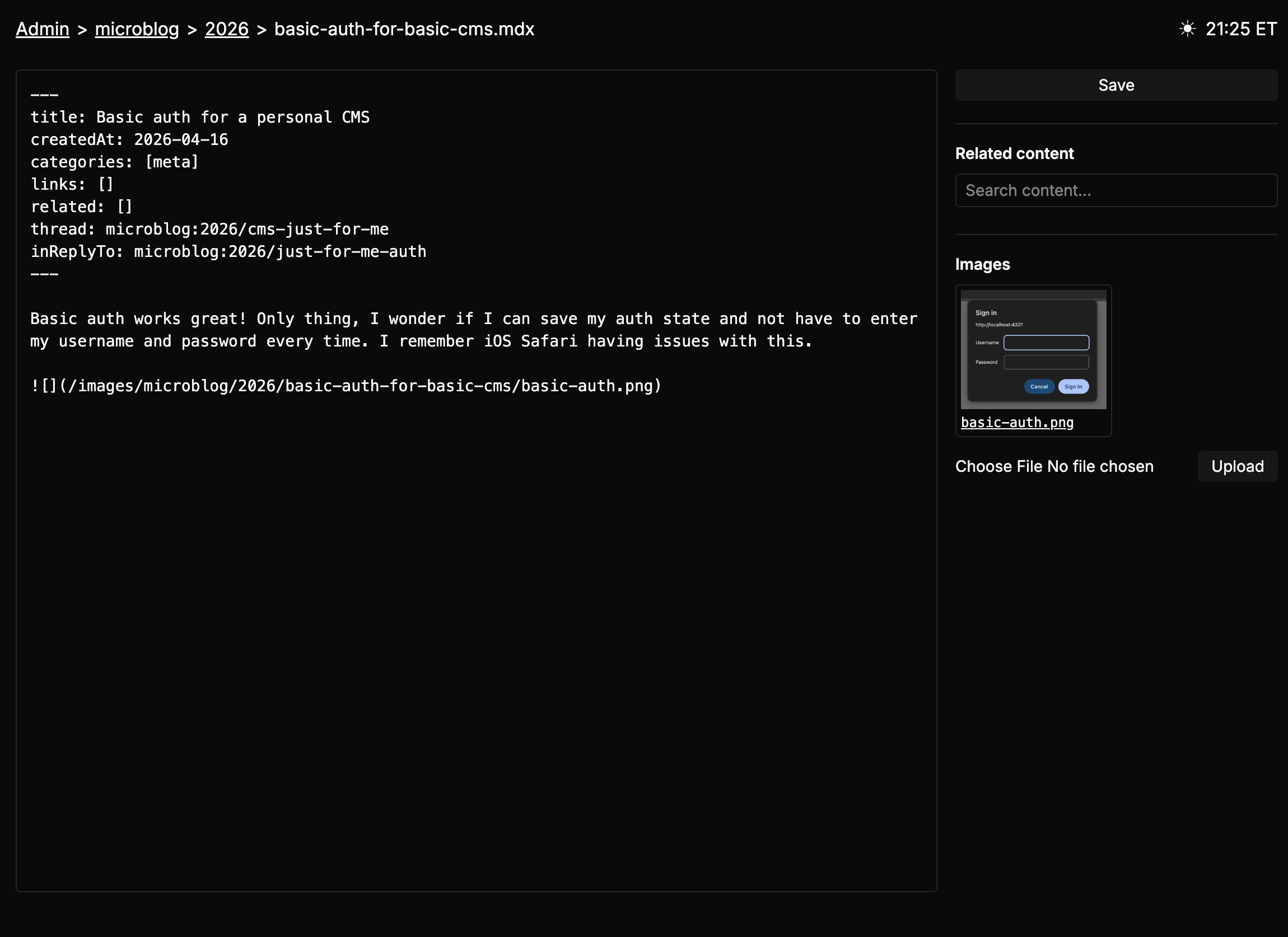
You can upload images, then click them to copy the markdown image syntax like .
My CMS is pretty good! It’s nice that I can make “one-off” edits for things that are useful to me. For example, in my micro blog, I have threads. Managing threads was annoying on mobile, so I added a thread viewer on the side.
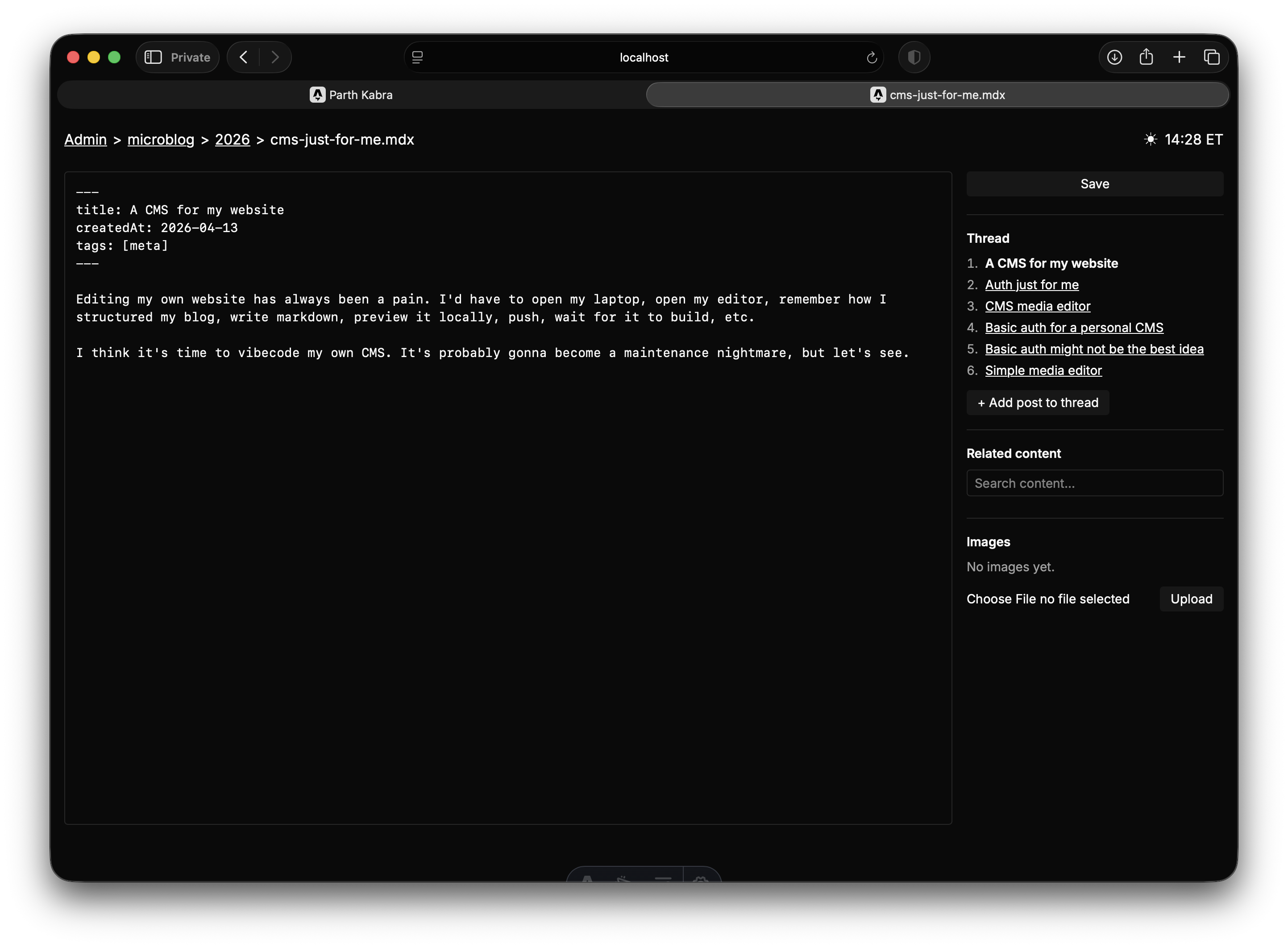
If the microblog post is a part of a thread, it shows you all the posts and makes it easy to continue that thread!
I was trying to make a micropost for Hyperlocal, and my own CMS blocked me from doing so because the image was too big! I don’t remember asking my agent to do this, so I was impressed, but annoyed too. One prompt later, and I added client-side image compression. I might spin this into its own tool.
I recently found out about Pi, and immediately tried to use it to make a “personal assistant” with memory.
It was a lot of fun: I made it monitor GitHub issues and work on tasks I gave it. I also gave it a phone number from agentphone.to so it could call me. I was able to call it, tell it to make edits to itself (for example, add a memory layer with markdown files), and have it call me back when done.
Only issue, Pi does not have a native built in solution for web search like Claude and Codex.